Session Management#
The Session Management module gives administrators a real-time view of all active sessions in the system. From here you can inspect individual sessions and forcibly terminate them when needed — for example when an agent account has been compromised or a user left without logging out.
Navigate to Admin → Session Management to open the module.
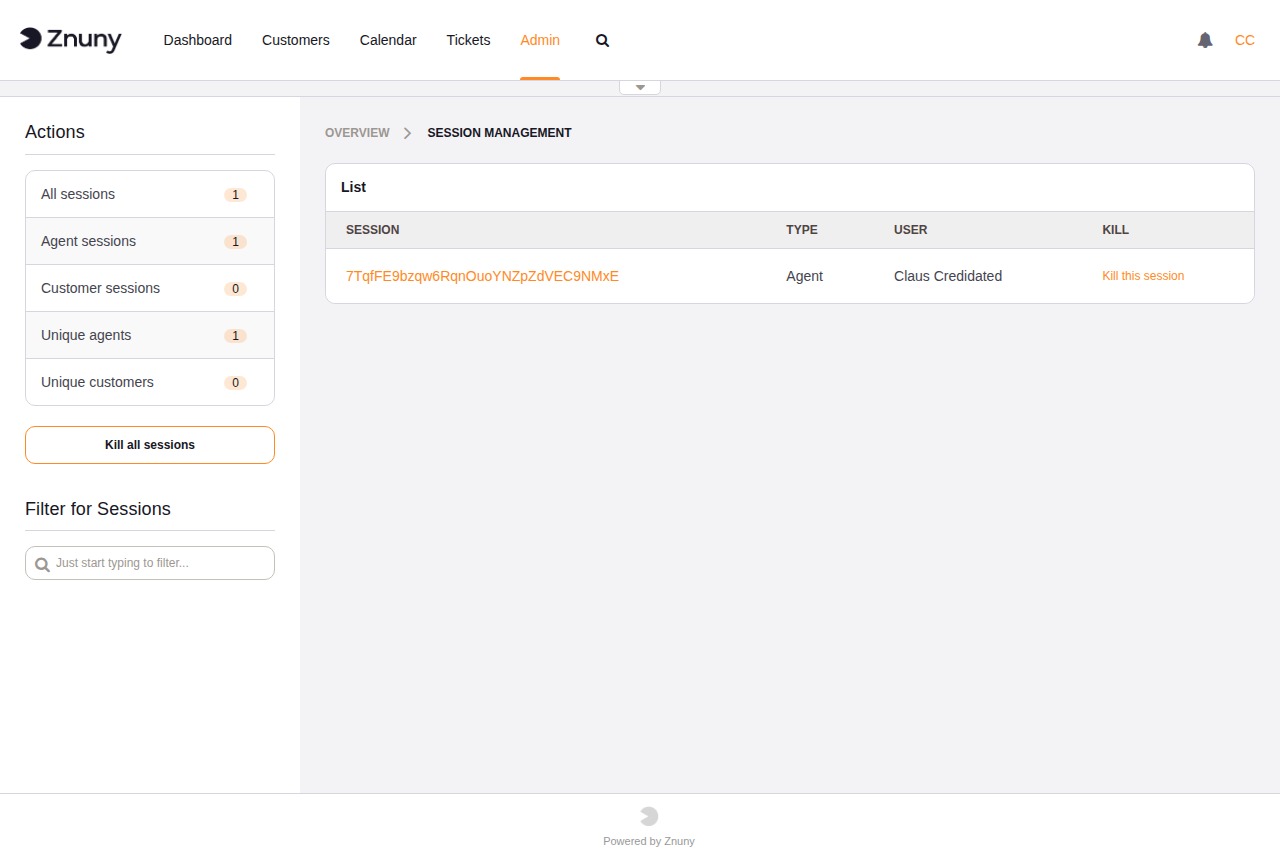
Session Overview#
The sidebar counts are updated each time the page loads:
- All sessions
Total number of active sessions across all user types.
- Agent sessions
Sessions originating from the agent interface.
- Customer sessions
Sessions originating from the customer portal.
- Unique agents
Number of distinct agent logins with at least one active session.
- Unique customers
Number of distinct customer user logins with at least one active session.
The session list in the main area shows the Session ID, Type (Agent or Customer), User, and a Kill link for each active session. Use the Filter for Sessions search box in the sidebar to narrow the list by session ID or user name.
Terminating Sessions#
To end a single session, click Kill this session next to the entry in the list. The session is invalidated immediately and the user is logged out on their next request.
To end all active sessions at once, click Kill all sessions in the sidebar. Use this with care — it will log out every currently active agent and customer user.
Session Detail#
Click the session ID link to open the detail view for that session. The detail view displays all data stored in the session record, including login time, last page visited, user identity fields, and any preference values cached in the session.
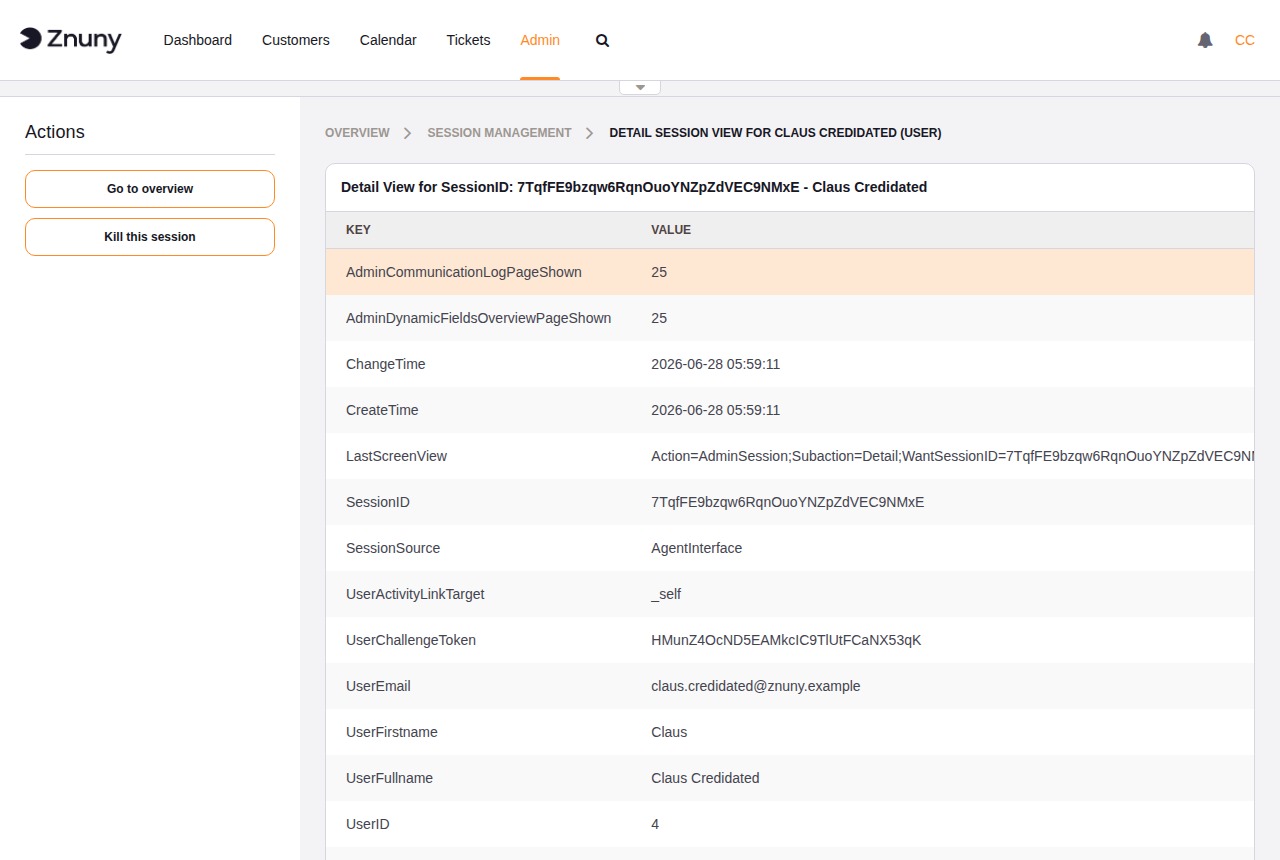
Useful fields in the detail view:
- CreateTime / ChangeTime
When the session was first created and when it was last updated.
- SessionSource
Identifies whether the session came from the
AgentInterfaceor the customer portal.- LastScreenView
The URL the user visited most recently — helpful for troubleshooting access issues.
- UserID / UserFullname / UserEmail
Identity of the user who owns this session.
Session Limits and Timeouts#
Session lifetime and concurrency limits are configured in Admin → System Configuration. The relevant settings are:
SessionMaxTimeMaximum session lifetime in seconds regardless of activity. Default:
57600(16 hours). After this time the session is invalidated and the user must log in again.SessionMaxIdleTimeMaximum idle time in seconds. Default:
7200(2 hours). A session inactive for longer than this value is automatically invalidated.AgentSessionLimitMaximum number of concurrent agent sessions system-wide. Default:
100.AgentSessionPerUserLimitMaximum number of concurrent sessions per agent login. Default:
20.CustomerSessionLimitMaximum number of concurrent customer sessions system-wide. Default:
100.CustomerSessionPerUserLimitMaximum number of concurrent sessions per customer user login. Default:
20.
Note
Reducing SessionMaxIdleTime is an effective way to automatically clean up abandoned sessions without requiring manual intervention through this module.