Ticket States#
States represent the lifecycle stage of a ticket. Every ticket is in exactly one state at any time. The state type assigned to each state is the key admin concept: it determines runtime behavior — which queue views the ticket appears in, whether a pending timer fires, and whether the ticket transitions automatically.
When creating a custom state, choosing the right state type is the most important decision. The table below describes what each type does at runtime.
See also
Ticket States in the Concepts section for typical lifecycle flows and guidance on which state type fits common use cases.
State Type Reference#
State type |
Behaviour |
|---|---|
new |
Ticket has not yet been worked on. Appears in the New Tickets view in agent queues. Not user-selectable once agent communication has taken place. |
open |
Ticket is being actively worked on. |
closed |
Ticket is resolved and no longer active. Excluded from default agent queue views. |
pending reminder |
Ticket is waiting. A reminder notification fires at the configured pending time; the state does not change automatically. |
pending auto |
Ticket is waiting. At the configured pending time, the ticket automatically transitions to a target state (configured separately per state). |
removed |
Ticket is archived. Hidden from normal queue views but not permanently deleted. |
merged |
Ticket has been merged into another ticket. The merged ticket is read-only and links to the target ticket. |
Important
The built-in states (new, open, closed successful, closed unsuccessful, merged, removed, and the pending states) are required for core system behaviour and must not be deleted. If a built-in state is no longer needed in ticket screens, set its validity to Invalid rather than deleting it.
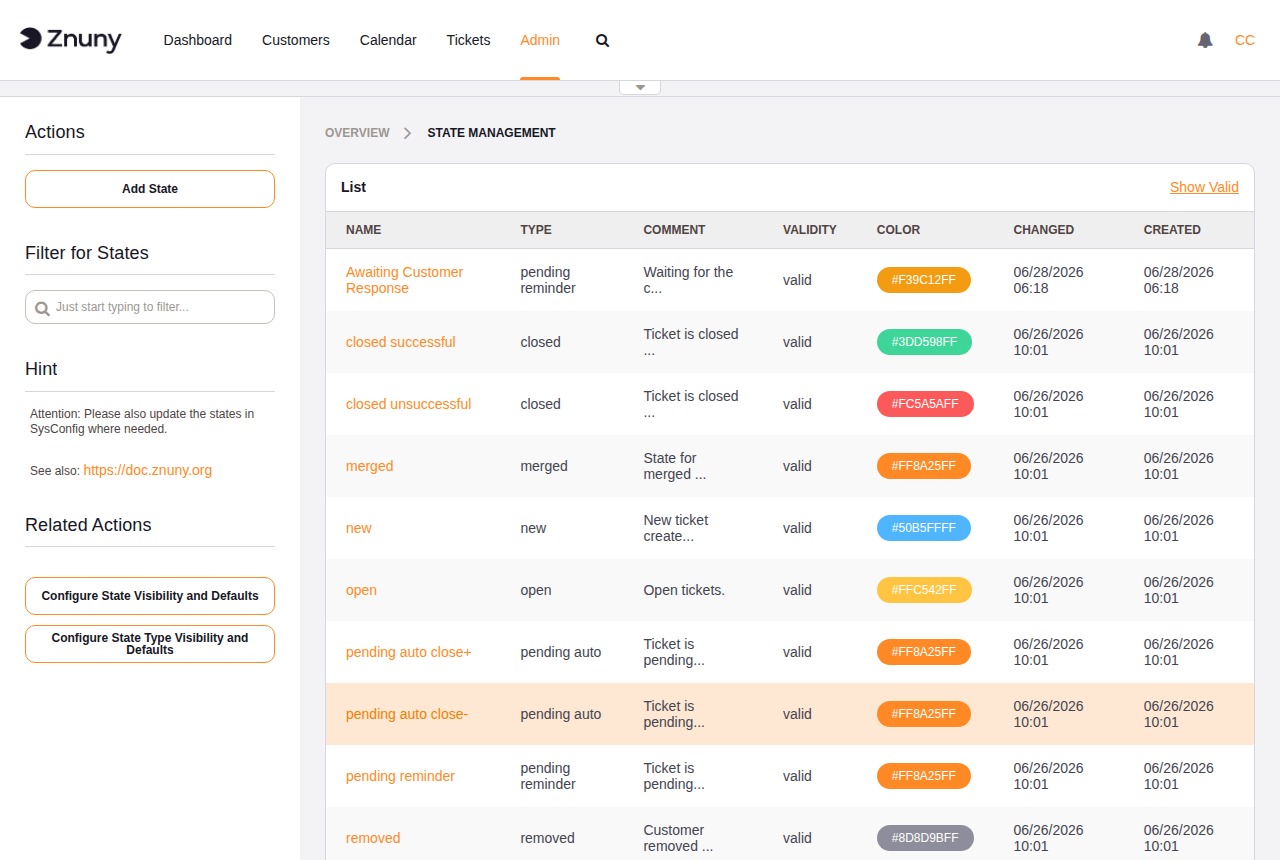
The overview lists all states with their name, type, comment, colour, and validity.
Creating and Editing a State#
Field |
Description |
|---|---|
Name |
Required. Display name shown in ticket screens. |
State type |
Required. Controls the runtime behaviour of tickets in this state. See the state type reference above. |
Comment |
Optional. Internal note about the purpose of this state. |
Color |
Pick from the colour palette to visually distinguish this state in ticket lists and views. |
Validity |
Required. Set to Invalid to hide this state from ticket screens without deleting it. |